One of the largest International Airports in Europe.
This project is one of the concepts proposed for the International Airport in Europe as the Wayfinding & Arrival Confidence Optimization. To comply with my non-disclosure agreement, I have changed the name of the company, visual style, and any confidential information. All information in this case study is my own and does not necessarily reflect the views of the company, and may differ from the current live version.
My role on this project was Lead UX Designer: I owned the research, concept, and prototype. I worked with senior stakeholders, product owner, and engineers, timeline: 3-week sprint. I ran Lean UX and used A/B testing to get a clear read on how the new concept performed against the original.
Outcomes: "Confidence" triggers increased from 0.6 to 3.4 on a standard 0–4 usability scale, comparison-view users converted 15% higher, booking completion rate increased by 18% (suggesting users felt more secure making a decision), help center load was reduced by 23% (indicating fewer users needed extra reassurance after booking).
Despite having detailed text directions, customers remained anxious and confused about the physical reality of their journey. There was a "confidence gap" between booking a space and actually finding it. Customers felt visually blind until they arrived. They were worried about: navigational error, logistical friction, and stress about what happens if something goes wrong at the automatic number-plate recognition (ANPR) barrier itself.
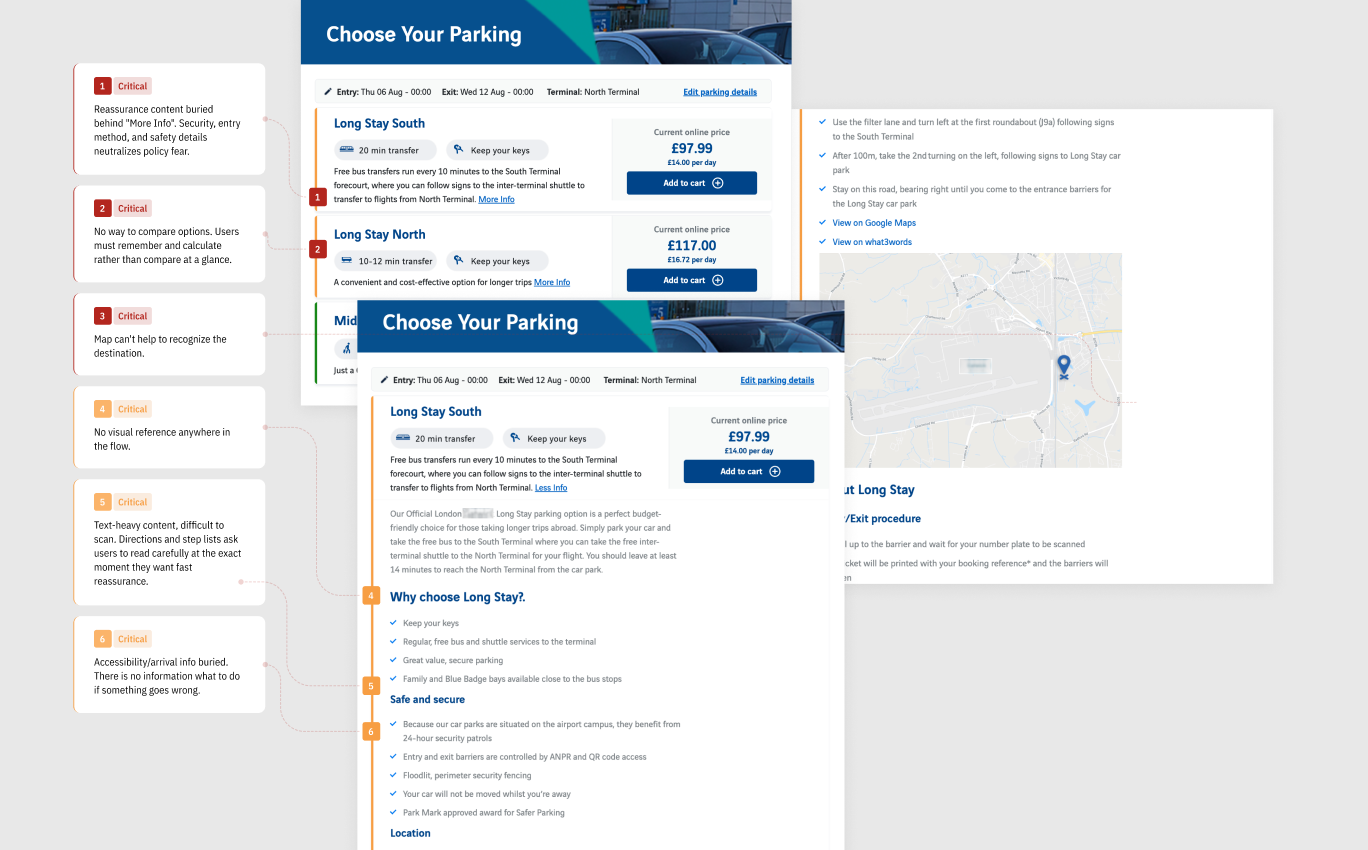
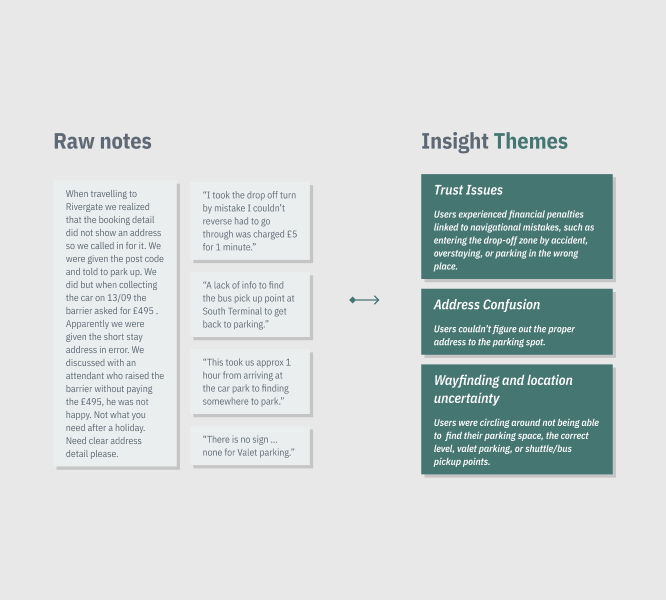
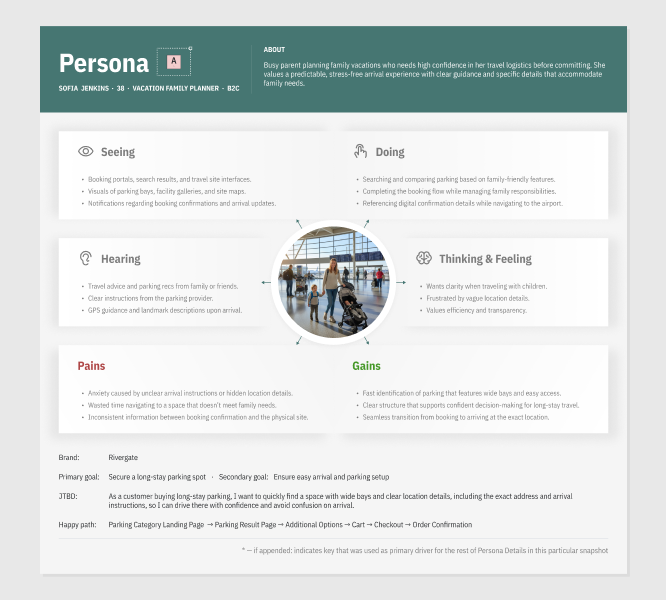
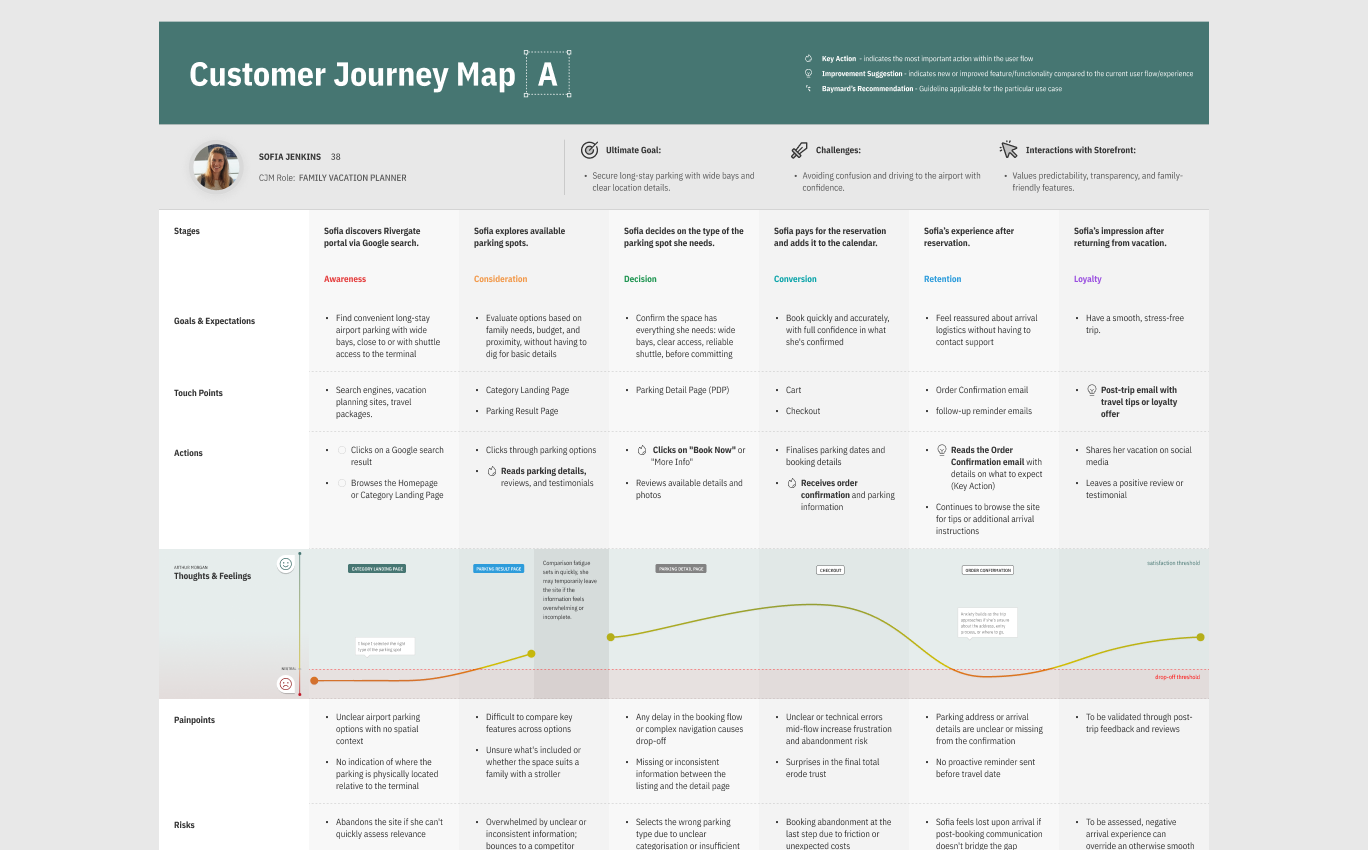
Address Confusion: The booking flow didn't surface a direct address. Travellers called in for it, or guessed.
Feature Uncertainty: Parking information was scattered. Users had to work hard to find them.
I audited global travel hubs to understand what good looked like. Sydney and Schiphol Airports stood out. They provided a good direction what could be used at the starting point. Contextual Guidance as an Anxiety-Reduction Tool: Both hubs have moved beyond static wayfinding. They employ dynamic, real-time mapping that provides precise navigation, taking users directly from their current location to a specific parking gate, which removes the "navigation friction" that typically occurs during the final step of a journey.
I used created a plan for the optimization based on the insights and used Impact/Effort Matrix for prioritization.
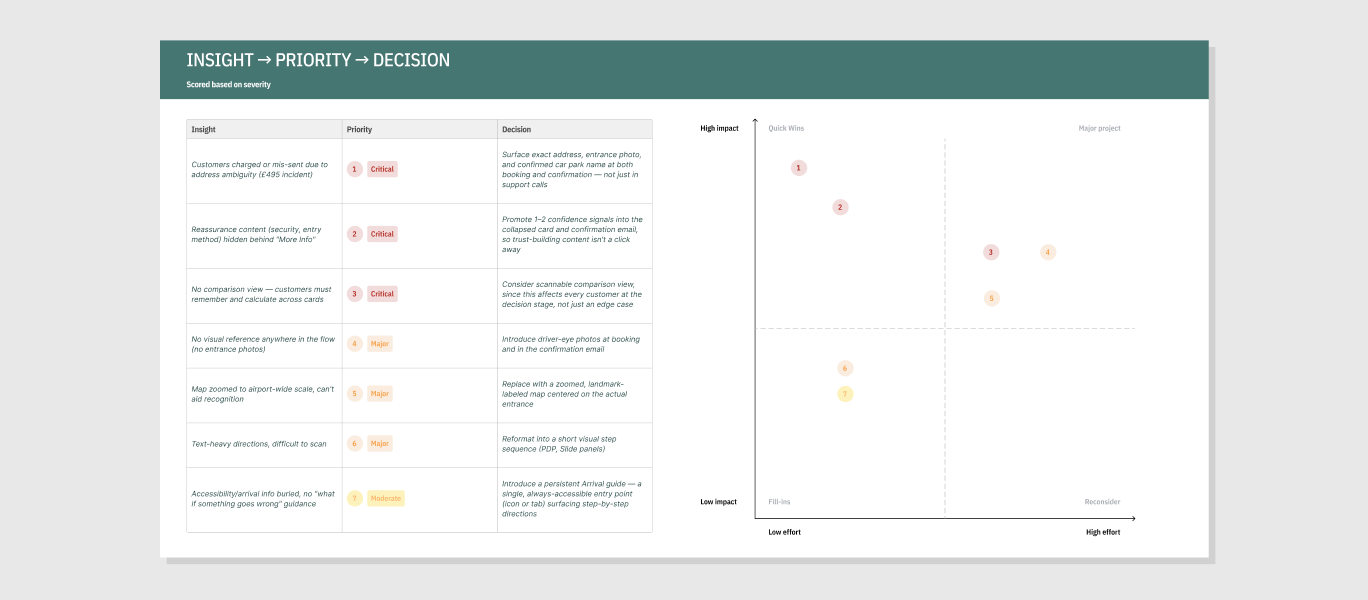
Before designing, I set the principles the work had to hold to:
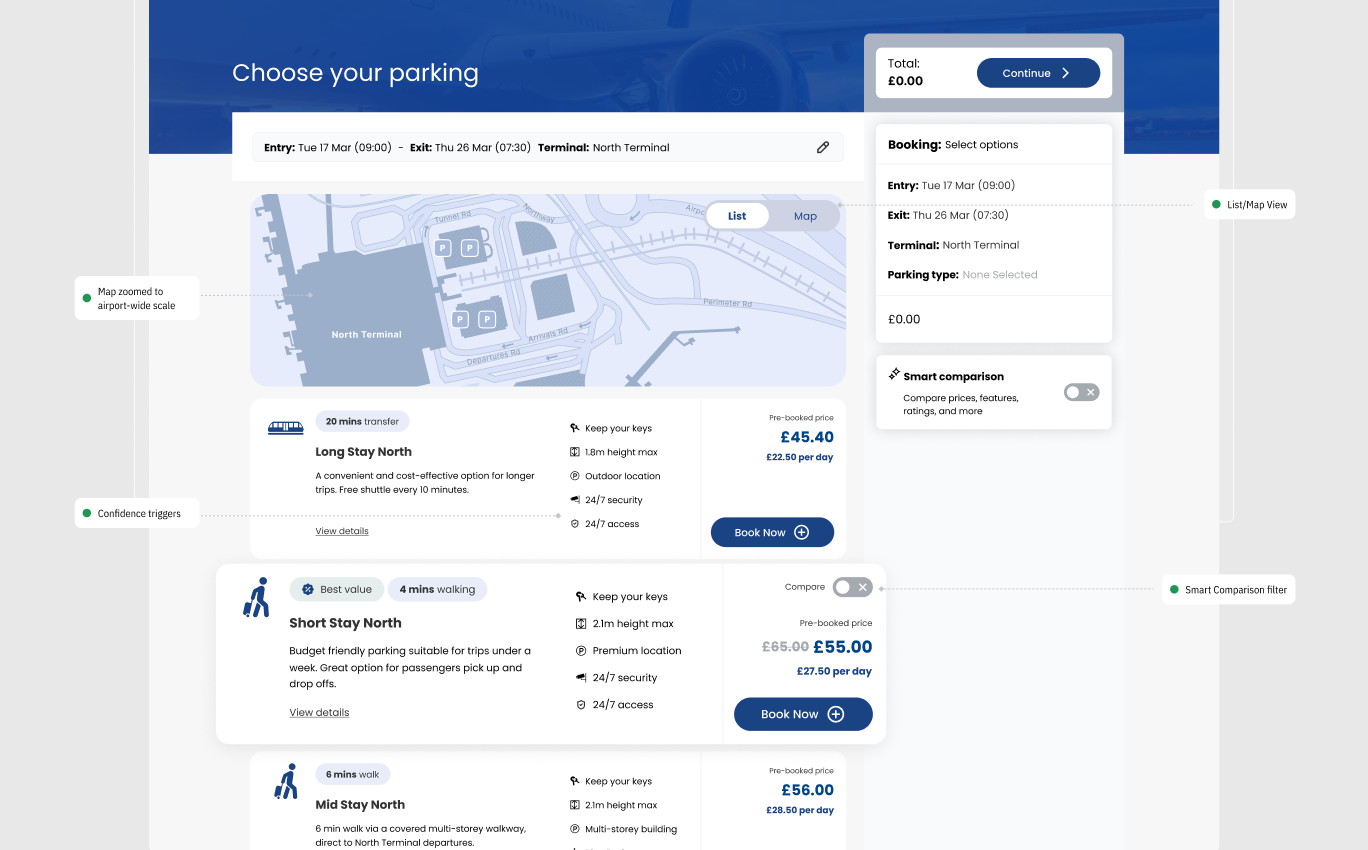
Parking Result Page
The result page moved the map from a decorative afterthought to a functional tool: zoomed to a usable scale, with a Smart comparison toggle surfaced directly on the card rather than buried in a separate flow. Confidence triggers were embedded in the copy itself, not behind a click.
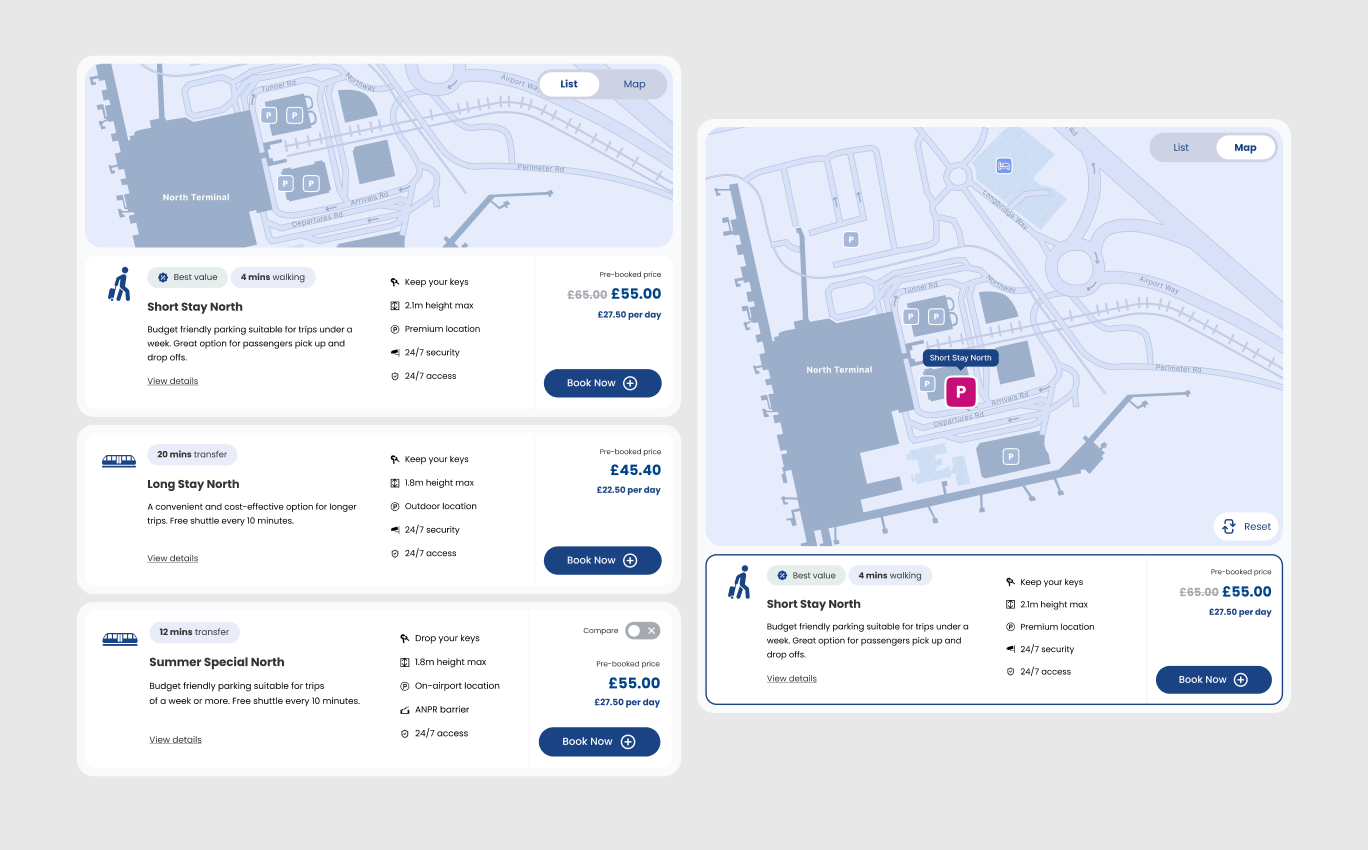
A List/Map toggle let customers switch between a scannable list and a spatial view without losing their place. The map centered on the actual car park entrance rather than the airport as a whole.
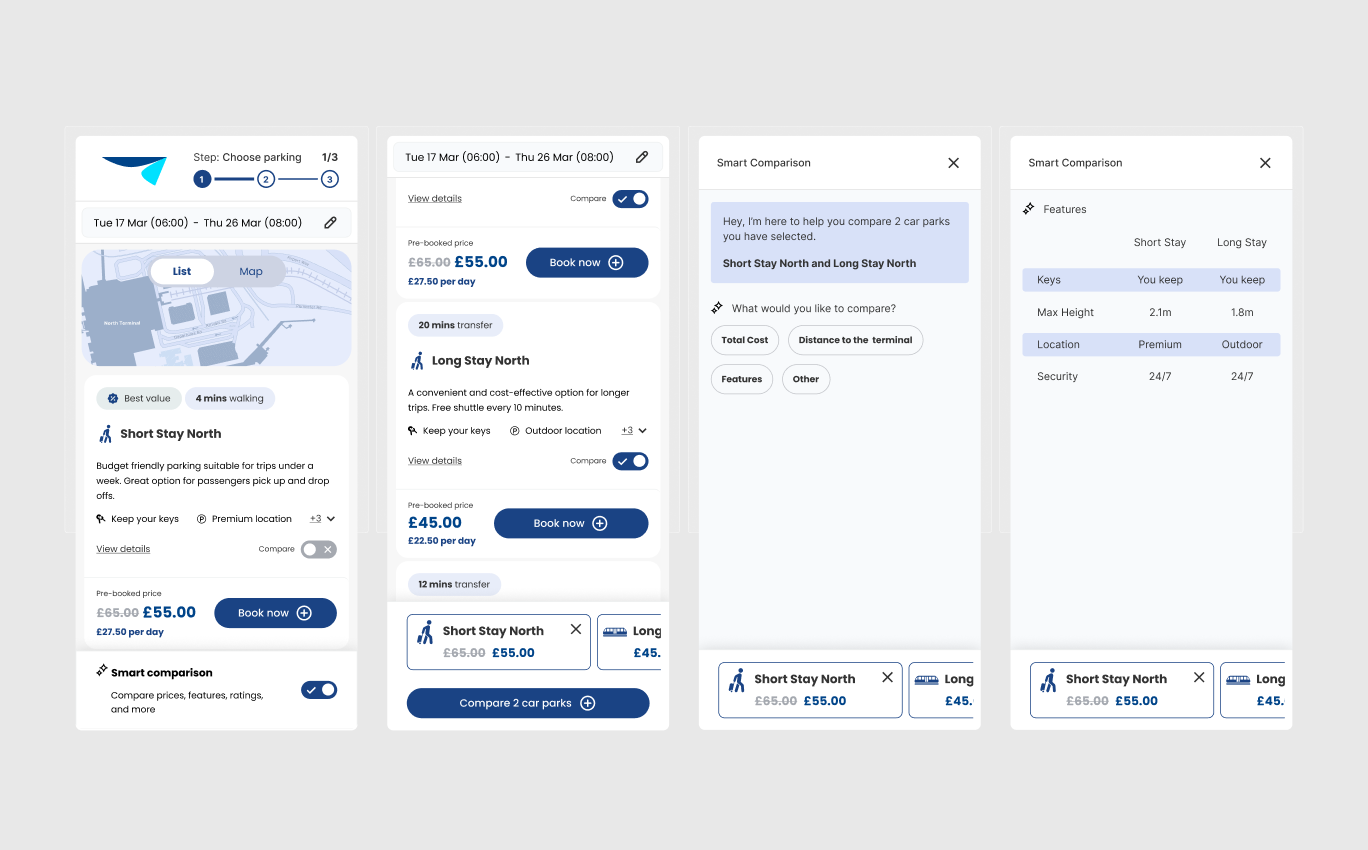
Smart Comparison This was a 0→1 addition: no comparison mechanism existed before this project. It was the direct answer to "no comparison view," the most frequently cited friction point at the Decision stage. Rather than a static table, Smart Comparison let customers select what matters to them (total cost, distance to terminal, features) and get a focused, conversational comparison between the two options they've shortlisted.
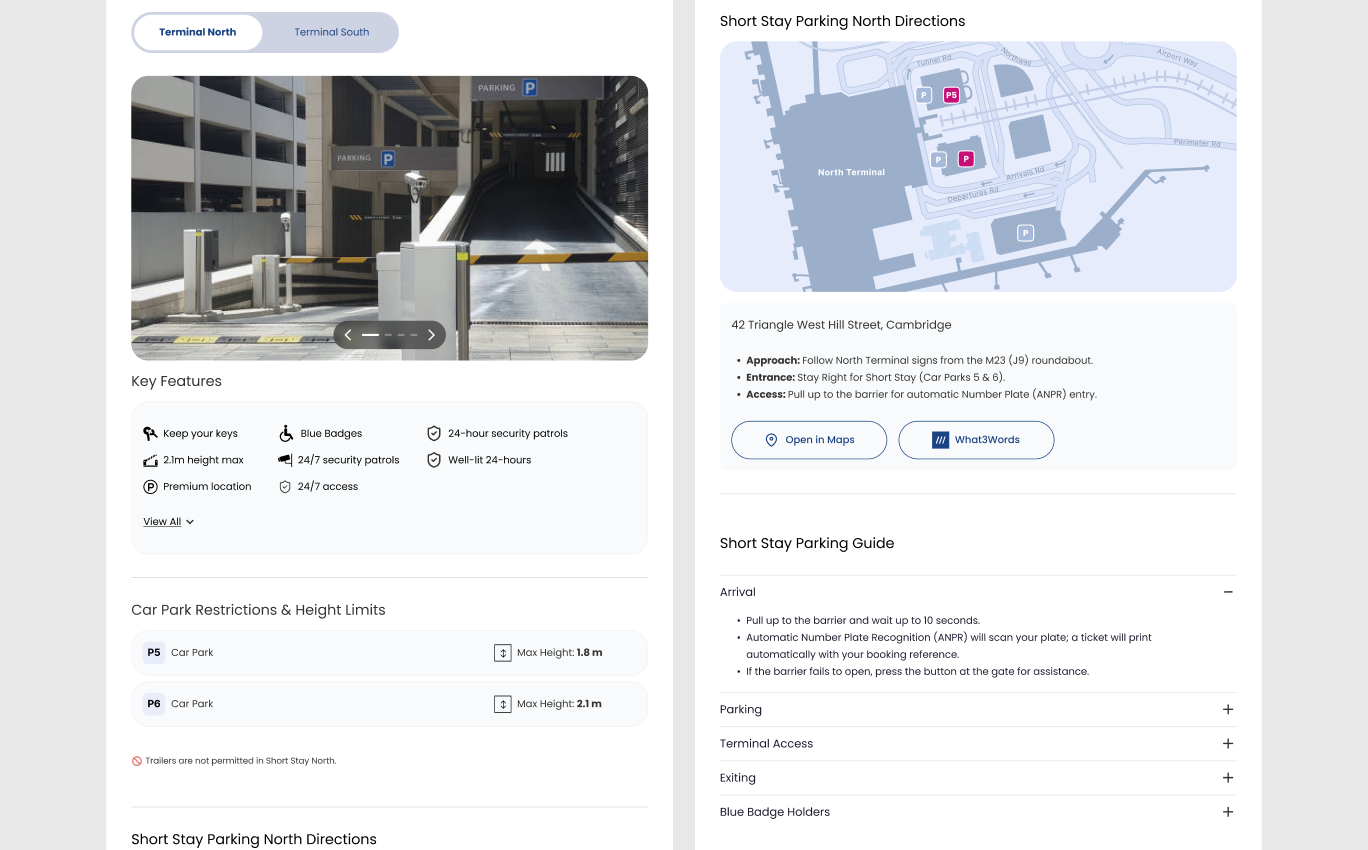
Parking Detail Page (PDP) The PDP replaced the wall of text and the airport-wide map with a real entrance photo, a zoomed and landmark-labeled map, the exact street address, and a structured, accordion-based Parking Guide covering Arrival, Parking, Terminal Access, Exiting, and Blue Badge Holders, so customers could find exactly the step they needed without reading everything else first.
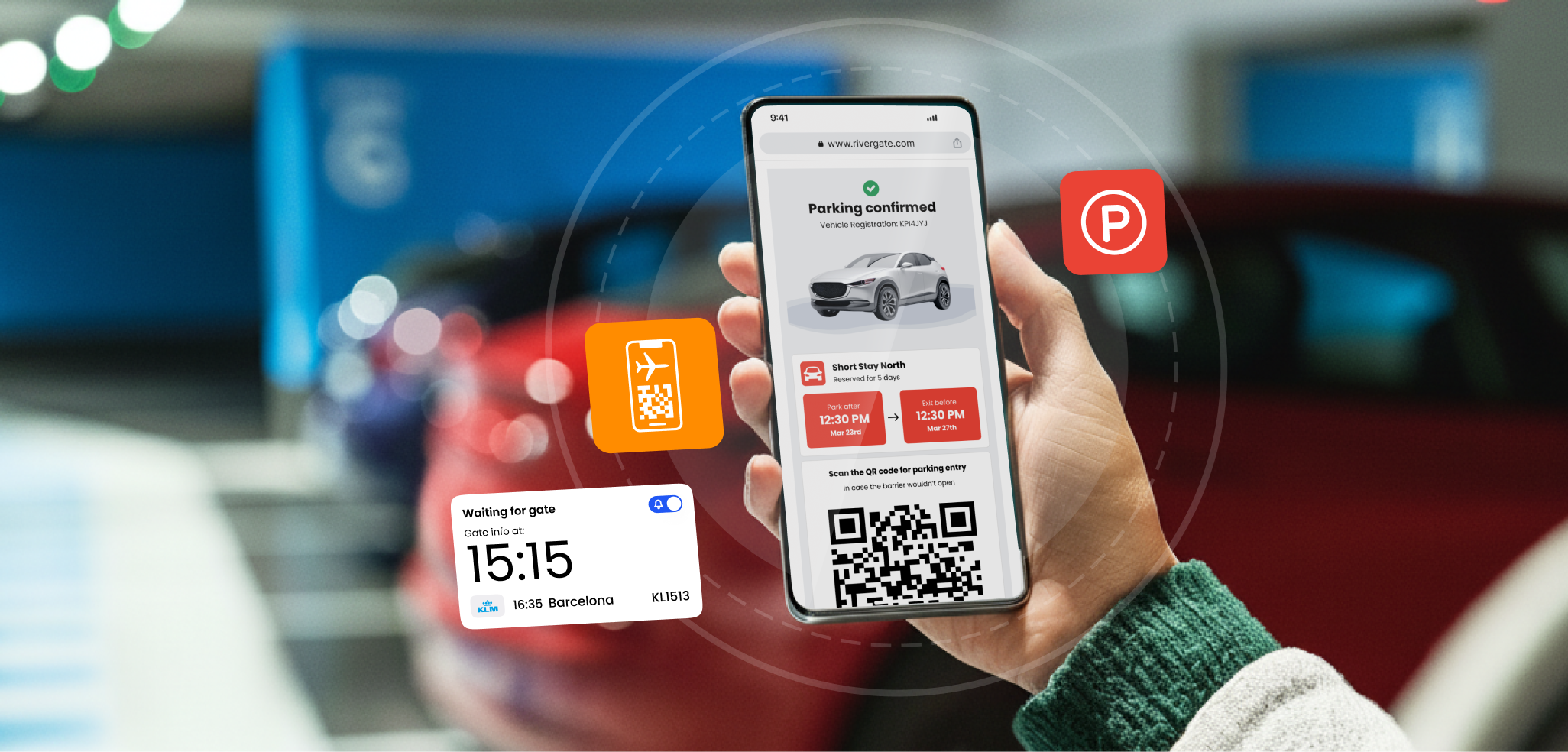
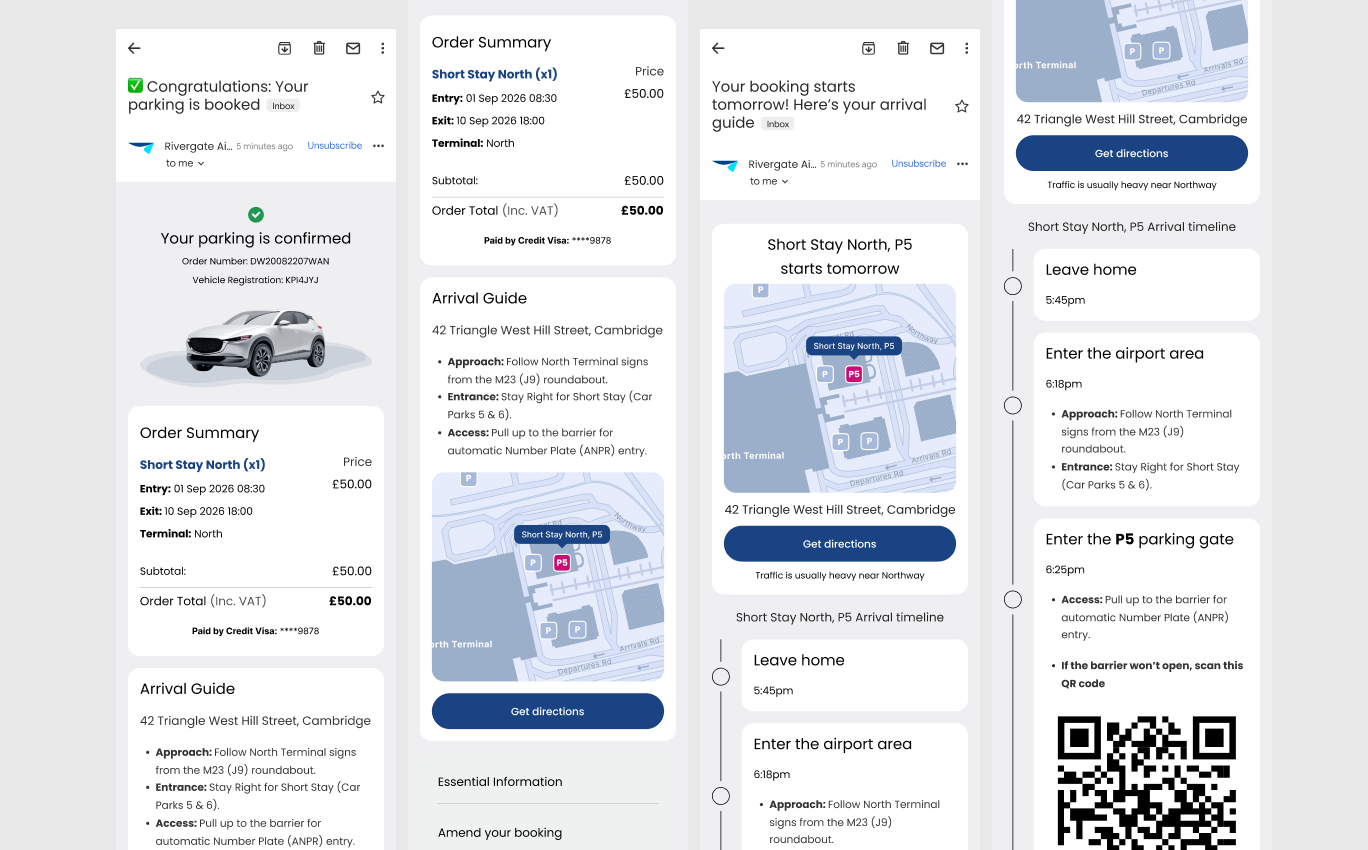
Emails (Confirmation/Reminder) Since the journey map showed anxiety peaking after checkout, the confirmation and pre-travel emails carried the same Arrival Guide as the PDP: exact address, map, the best route to take, and a QR code as a fallback if the barrier doesn't open. This met customers again at the exact moment the emotional dip occurs, rather than leaving them to dig for information alone.
The results of the A/B testing were the following:
These outcomes were validated through A/B testing the new concept against the original live experience over a 3-week test window with 230 participants, giving a clear, comparable read on how the redesign performed rather than a directional estimate.
Shared experiences from the product minds and engineering partners I’ve worked with.


I worked with Oxana for more than 3 years and she is an amazing Art Director with great UX skills. She is probably the best designer I have worked with. Her dedication and talent know no limits. Her advices are always right and pertinent. She is an incredible asset for any teams.
During her time at Astound, Oxana has consistently proved herself to be an absolute powerhouse Senior UX Designer. In many ways, she functioned as our “special ops” designer - the exact person you want in the room when a product or feature simply doesn't exist yet...
During her time at Astound, I had the pleasure of working with Oxana across multiple projects. She brings genuine enthusiasm to every UX challenge and is highly collaborative in her approach. Oxana builds strong client relationships and confidence through thoughtful...
Oxana’s passion for excellent design shows in everything she does. She tackles every challenge with a smile and brings a perfect mix of designer curiosity and user empathy to the table. Beyond her great professional skills, she is a wonderful person to be around...